

How Shopify Sellers Can Automate Amazon Fee Reports?
WB
WebBee Team
eCommerce Specialists
Ever thought about how financial analysis can boost your business growth? Yes, an online e-commerce business is not just about delivering products to customers and receiving payment from them. Every service that an online seller utilizes must pay a fee for it. Often, they overlook this fee, which prevents them from conducting an accurate financial analysis of their business. This is why Amazon offers the Fee report Feature, through which they may manage their expenses effectively and make better financial decisions for improved profitability. Want to know more? Stay reading the blog, and we will navigate you through this feature in detail.
Shopify sellers have to pay charges for many Amazon fulfillment services, including the following:
These charges are important to analyze for effective financial management. Amazon's fee report feature helps merchants get a report of all these charges so they can make better decisions.
As we know, these fee reports are quite important for the sellers; therefore, let us understand the basic features that they may utilize for financial growth.
Sellers can get a rough estimate of all the charges that may be applied for fulfilling an order. Three important points should be kept in mind here:
A. It is based on the cost price of the product.
B. It does not include the tax applied to the fee applicable.
C. This fee is only an estimate, and the actual fee may vary depending on many factors such as shipping method, taxes, transportation, and others.
Retailers get a detailed report of all their charges for a month. This helps them analyze their expenses periodically and take instant actions to minimize expenses. They can get the reports for the following fees every month:
If any seller wants to utilize both Amazon and any other fulfillment services, they can compare both of them through the revenue calculator. This helps find out which one is more economical and hence choose accordingly.
Shopify retailers may separately download the Buy with Prime Order Reports, which help the sellers assess if the Prime feature is driving enough revenue or not. They get all the fee insights linked with the prime orders, which can be used to cater to them better.
Online merchants may always trust Amazon with its “no hidden charges” policy. Amazon charges only the following fee, which is fixed and based on the item price when the sellers make a sale:
You may find the latest fee schedule updated by Amazon and effective from June 30, 2025.
Since you have understood this feature and its importance, let us now navigate through the benefits it offers to the sellers through some real-life use cases:
One of the fees levied by Amazon is the storage fee, which adds a huge amount to the operational costs. Let us understand this with a real-life scenario:
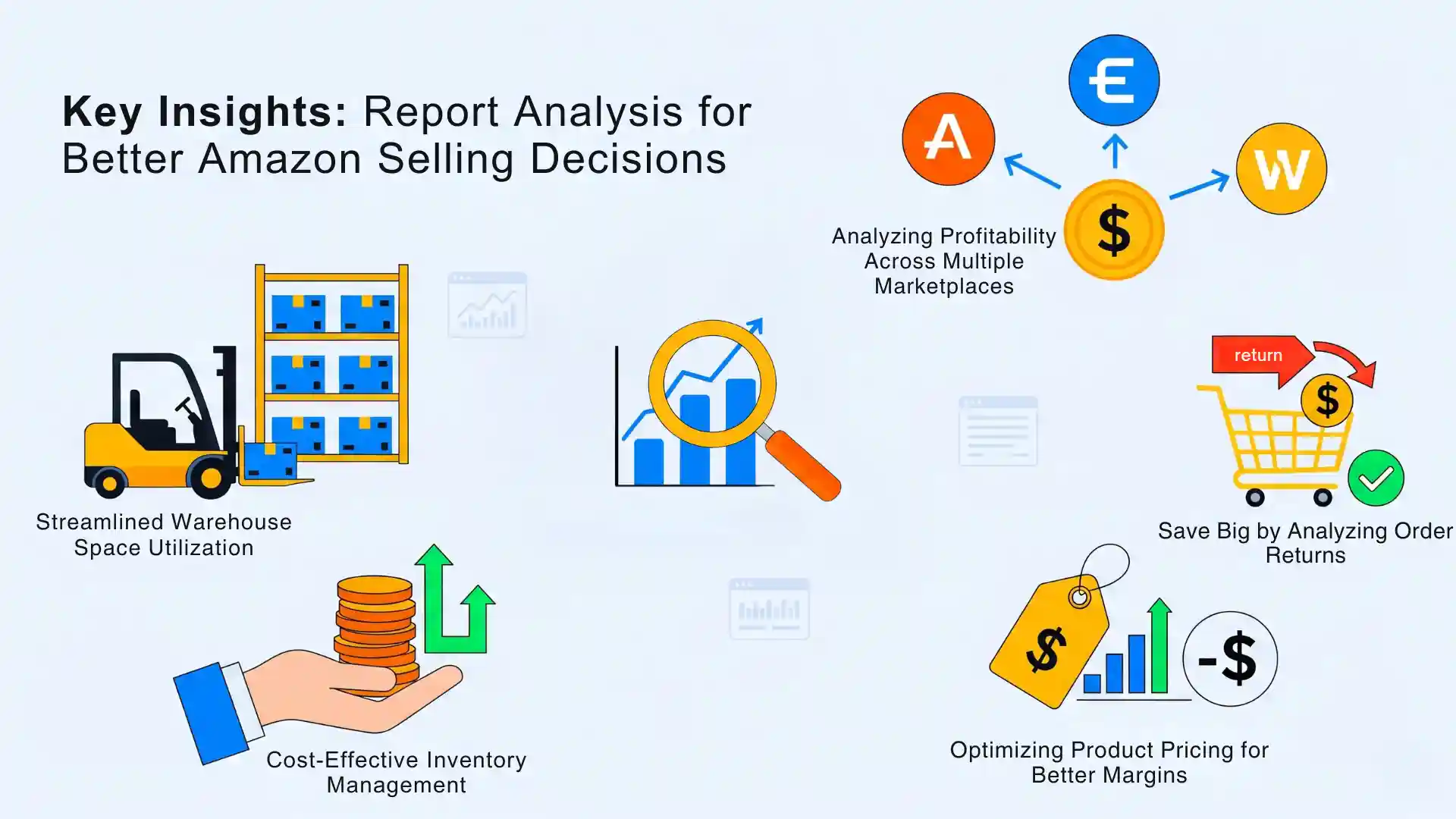
Suppose a seller has a certain product that has huge packaging, due to which they are placed in a higher fee tier. What does this mean? It is paying extra not because of the product but due to the packaging. This is where the Amazon fee report helps merchants analyze how they properly utilize warehouse space by simply redesigning the packaging. It helps them save a significant amount of money by reducing the dimensional weights as it moves down to the lower fee bracket.
Online merchants can reduce the fees spent on inventory management through this fee report. Suppose a seller sells two products - Bat and Ball, and Bat has a lower rate of selling while Balls are sold more often, but he keeps the same quantity of the product inventory. In this case, Bat has become a liability to the merchants as it is only increasing the storage fee. Here fee report helps them deduce which products are being sold fast and do not require being stored for a longer time. This way, it decreases the inventory of products, like bats, that do not have a high selling rate, and increases the inventory of items that are sold faster, such as balls, in this case. By simply making a slight change in the inventory, they save a large amount.
Order returns are a big headache for any seller, as they add more operational cost and, hence, more losses. Amazon fee reports can be used to understand how much transportation and storage fees are levied on return orders. They may analyze which products are being returned more often, from which marketplace, and deduce what are the reasons for such returns. Also, they may utilize this data to make necessary decisions, such as
This helps decrease the returns and improve customer satisfaction.
For sellers who want to go global and start selling internationally, Amazon fee reports can help them make effective strategies. How? Suppose an online merchant sells products in the UK, the USA, and Germany, but it makes more sales in the USA marketplace only. They can analyze which marketplace offers a higher net profit per unit and, hence, make better marketing strategies for each one of them accordingly.
After knowing the total fees levied on a product, sellers make a better decision about its pricing strategy. Let us suppose a Shopify retailer sells a product for $100, and the net fee applied to it is $30. If the manufacturing cost of the product is $50, then the seller is making a profit of $20 (100-50-30=20). This is not enough for him, as he has to spend on marketing, salaries, and other business expenses as well. Hence, with the fee report, this retailer may analyze how it can minimize fees levied and how much the price be increased to stay competitive while making better profits.
Accessing the Amazon fee report is a bit tricky, as the Shopify sellers have to do it manually. They can get the reports through any of these methods, but they are time-consuming.
The better way is to automate fee report generation, which helps them leverage the Amazon MCF by WebBee application for this with just a single click. Let us see how it is done with these simple steps:
1. Log in to the Shopify App Store
2. Search for Amazon MCF by WebBee
3. Click on Configuration
4. Click on App settings
5. Scroll down to find the Amazon Fee Report

6. Select Yes from the drop-down menu
7. Click Save
Amazon's fee report is not just a bill that you have to pay; in fact, it is a reflection of the business strategies. You have to analyze this report thoroughly to understand where you can make changes to optimize business operations. This way, you may open the door to new possibilities by making smarter decisions, so it is easier to operate and scale in multiple marketplaces. Also, if you want to automate this feature and save time, we are here to help with Amazon Shopify integration.
Contact us to learn how to utilize the potential of the Amazon fee report and much more!
.svg)