

Shopify ERP Integration Guide: When Shopify Stores Need NetSuite Automation
WB
WebBee Team
eCommerce Specialists
Handling orders over Shopify and NetSuite manually is likely to cause mistakes. When your e-commerce store picks an order, somebody is required to write it into your ERP. Also, when inventory is modified in NetSuite, you need to update Shopify. And when a user enquires about their order, assigned staff has to check both the systems.
In this case, the NetSuite Shopify integration connects your UI store with your back-office operations so data circulate automatically across the two platforms. No more copy & paste of order information. Also, no overselling as inventory didn't sync.
This blog explores what you understand by Shopify NetSuite integration, how it works, what the common challenges are, and types of ERP systems used with Shopify.
Enterprise Resource Planning (ERP) is a software system that businesses use to handle and connect their key operations, like HR, finance, supply chains & ,inventory management, manufacturing, sales and more, into a single, combined database from one dashboard.
It refers to connecting your Shopify storefront with an ERP system to make a unified business platform. Despite running sales, accounting, & inventory, in separate tools, the ERP works as the hub that brings all things together. This connection enables sellers to control operations with precision and real time order tracking visibility.
What data is required to sync? In which path? How often? What if something fails? These questions may seem to be basic, but they are where many projects go sidewise.
Depend on your tech resources, complexity, and budget. A pre-built connector may work fine. Custom development can be necessary. The answer is based on your unique setup, not what operated for someone else.
This step will showcase whether the integration will work or not. Each field in Shopify that needs to correlate to a section in NetSuite has to be specifically mapped. Product SKUs, tax codes, customer IDs, and order status. And it is enormously vital.
Not only if it passes the testing. High-volume situations. What happens with partial shipment? What will happen when NetSuite is not working properly? You will see that teams who neglect deep testing always regret it afterwards.
This is just the beginning. The 1st few weeks require close attention. Configure monitoring, assign someone to look for sync errors, and have an actual picture for handling unexpected things.
Shopify & NetSuite ERP systems are created for distinct purposes, and their fundamental data models might not work properly. SKUs, Product structures, pricing, users, taxes, and stock representations can differ significantly across a Shopify store and an ERP system.
Modern commerce hardly follows a sole fulfillment path. Orders arising in Shopify might be fulfilled by interior warehouses, 3PLs, and more.
P2P integrations might work for initial-stage e-commerce operations, but they hardly scale. As businesses add new payment methods, sales channels, brands, or geographies, every new connection presents exponential difficulty.
It is the most preferable option for Shopify Plus sellers running at scale. The NetSuite ERP Connector in the Shopify App Store begins at $199.92 per month & offers comprehensive O2C automation.
It is a cloud ERP established mainly for SMEs, with particular power in distribution and production.
Microsoft Dynamics 365 is a cloud-powered ERP with robust financial management abilities. This system operates well for mid-sized businesses that require strong accounting features along with their e-commerce operations.
Infor assists larger enterprises with tough requirements. The M3 CE connector connects Shopify to Infor's ERP for entities with refined manufacturing, supply chain, or distribution needs.
WebBee's Robust NetSuite Integrator removes manual data entry by smoothly syncing orders, refunds, inventory, between Shopify and NetSuite. Entities can build NetSuite as their single source of truth, with real time stock & tax updates flowing immediately across platforms.
Core features include:
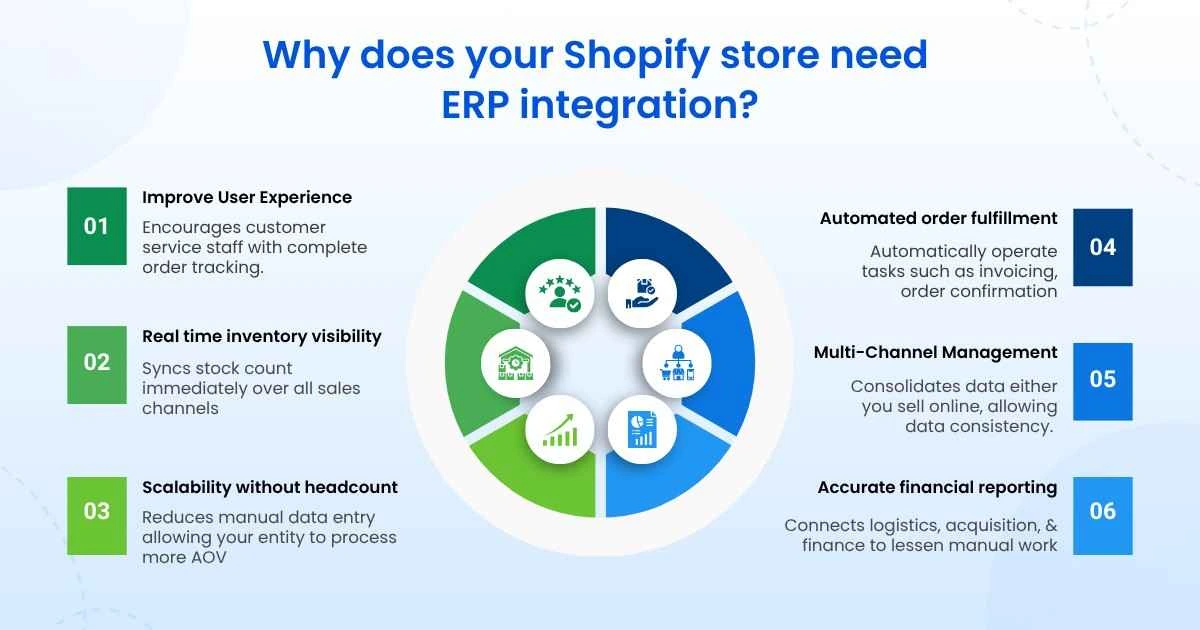
The Shopify NetSuite ERP Integration presents organizations with a strong solution that streamlines operations, improves efficiency, and encourages growth. By smoothly connecting the e-commerce platform with a strong ERP system, you can unlock the complete potential of your online operations and offer unmatched user experiences.
Want to uplift your e-commerce operations by Shopify NetSuite Integration? Partner with WebBee, the leading technology company that specializes in making custom solutions as per your business needs.

1. When Do I need an ERP software for Shopify?
You need an ERP software when your operational difficulty exceeds what Shopify’s native features & apps can’t manage.
2. Is NetSuite worth it for a small Shopify store?
NetSuite is basically not worth it for a small Shopify store. It is a tough enterprise-grade ERP.
3. What does a Shopify ERP integration cost?
A Shopify ERP integration costs between $15,000 to $75,000+ for the initial setup, based on the difficulty of your data and the software included. But the Robust NetSuite Integrator by webbee connector starts with just $80 to $200.

.svg)