

What Is Amazon FBA? Complete Guide to Fulfillment by Amazon in 2026
WB
WebBee Team
eCommerce Specialists
E-commerce brands that are selling on Amazon can choose to fulfill their orders using Fulfillment by Amazon. With FBA, Amazon stores your products, picks, packs, & ships them in Amazon packaging. It also helps sellers get Prime benefits and save their time on day-to-day operations.
But, FBA can’t be the right choice for each business or product. So, to make the most of it, sellers need to know what FBA is, how it works, what it costs, and when to use it. In this blog, we will explore every aspect of FBA that sellers should know and explain how WebBee can help you to scale your Amazon business (2026).
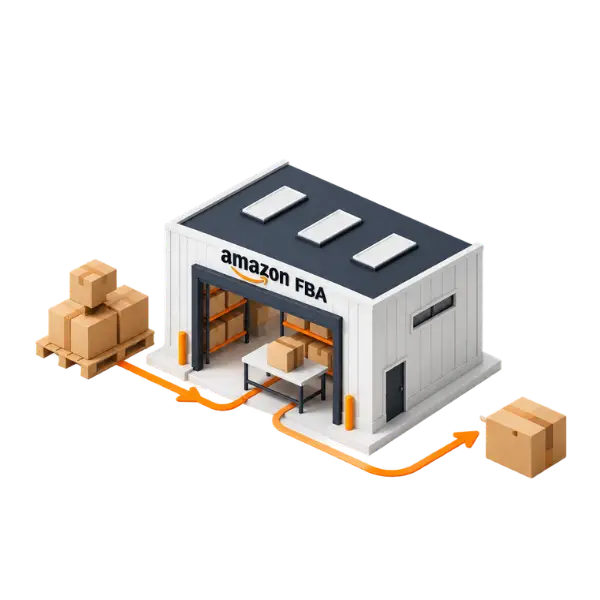
Amazon FBA allows sellers to use Amazon’s broader logistics network to manage warehouse, picking, shipping, and customer service. Brands send their inventory to Amazon’s warehouses, and then it will be handled by Amazon. This allows brands to find out the strategies that will help them in growing their business.
FBA is a smart choice for sellers as it simplifies their fulfillment, enhances delivery speed, and supports them to expand their business. Let’s explore the FBA benefits it include:
Orders fulfilled through Amazon FBA can be eligible for Prime members, helping sellers engage buyers who prioritize quick and reliable shipping.
Amazon’s extensive fulfillment network supports timely delivery to shoppers over multiple regions.
By outsourcing their fulfillment process to third-party connectors like Amazon MCF by WebBee, sellers can prevent handling their own inventory, packing, and shipping operations.
Amazon handles core logistics tasks, involving picking to packing to shipping to inventory processing.
Amazon handles much of the customer support and returns process, reducing sellers’ workload.
FBA allows sellers to scale their product listings and sales volume without needing to establish their own fulfillment structure.
Sellers can make use of Amazon’s fulfillment abilities to ship orders from other sales channels, helping simplify operations over multiple platforms.
FBA allows sellers to transfer vital fulfillment workflows to Amazon, from storage to delivery to customer service. So, use these 5 step processes to launch and expand your business successfully with Amazon FBA. As every step helps to create a strong foundation for long term growth.
You can choose a few or all of your qualified products for FBA. Before selecting which products to choose:
For an efficient and smooth experience, it’s important to prepare inventory as per Amazon's guidelines. This consists of accurate packaging, labeling, & shipping needs.
Once your inventory is ready, sellers need to create a FBA shipment in Seller Central. This process includes offering info about your products, quantities, and the Amazon fulfillment centers you will be shipping to.
Now, Amazon stores your products and manages everything on their own from picking to shipping when a purchase is made.
Amazon manages returns, refunds, and customer service for you, helping in reducing workload.
FBA costs depend on various factors such as AOV, product size and type, inventory levels, and the fulfillment services you use. Knowing the fee helps you to calculate your actual costs and protect your revenue.
Selecting between Amazon FBA & Fulfillment by Merchant will be based on your product size, sales volume, and profit margins. So, let’s understand the difference via table.
Amazon MCF by WebBee app connects your Shopify store with Amazon MCF and integrates your Shopify orders to Amazon FBA for pack, ship, and pick. It provides real time inventory sync, supports seamless SKU mapping over platforms, and automatically sends tracking updates back to your Shopify store.
Advanced Options: It supports SKU mapping, delivery date badges, and unbranded packaging selections.
Real Time Inventory: Reduce stock counts over channels automatically as items sell on Shopify or Amazon.
Tracking & Status: Amazon MCF by WebBee will provide tracking numbers from Amazon and send notifications inside Shopify.
Order Routing: Sends user shipping data to Amazon FBA the moment an order is placed on Shopify.
When your products are listed higher, the chances of making a sale also increases and thus creates a profit portfolio for you from the start. You do not have to struggle to sell on Amazon which caters to millions of similar products like yours. You simultaneously eliminate the competition and create trust with the buyers.
FBA can be worth it for new sellers as it offers instant Prime eligibility, manages packing and shipping logistics.
The tech setup and initial configuration of an Amazon FBA account takes about 1-2 weeks.
Best performing categories consist of Home & Kitchen, Sports & Outdoors, Beauty & Personal Care, and Pet Supplies.
.svg)