

How to Automate and Sell Products on Walmart Marketplace?
WB
WebBee Team
eCommerce Specialists
Want to leverage Walmart to sell products, but do not know how to start? It is quite important to learn and understand how to sell on Walmart Marketplace, as it offers several benefits to sellers. This blog will help you learn how to start selling and can make it more effective using an advanced in-built automation application. Stay Reading!
Walmart Marketplace is a digital platform for e-commerce enterprises to sell their products online. This gives them an advantage as they can sell their products globally and make them reach a wider audience.
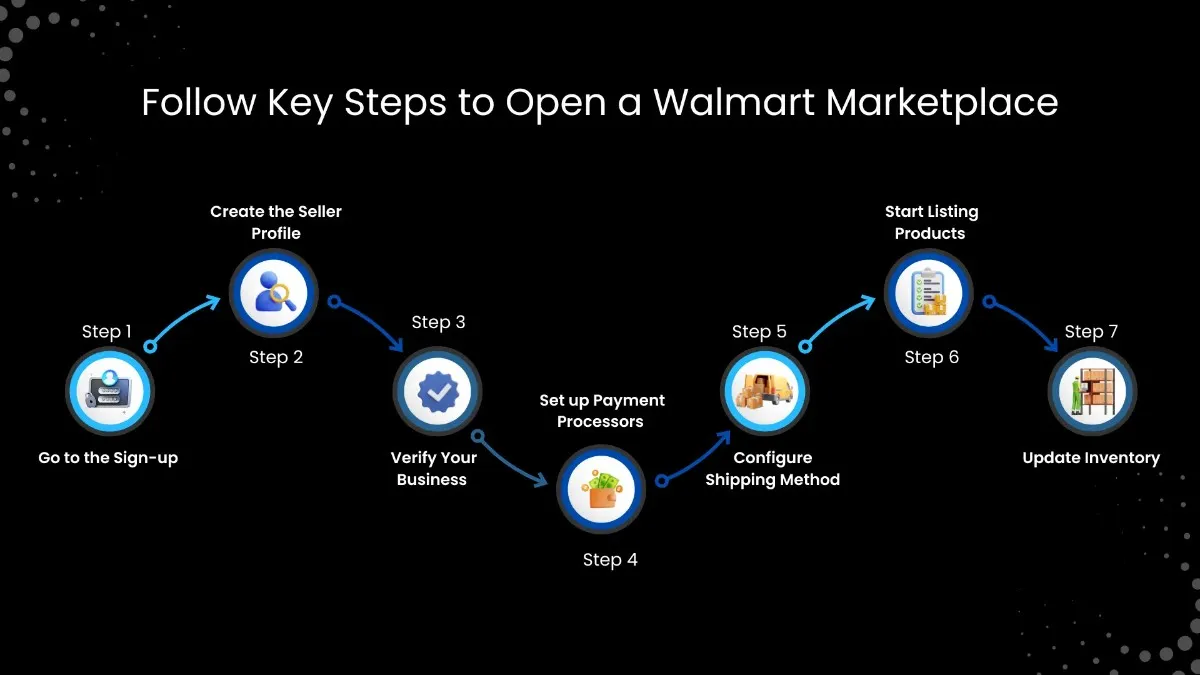
Follow these simple steps to create a seller account, and you can begin your selling journey:
Open the Walmart website, and then click on the Walmart Marketplace page. Now select the "Join Marketplace" button.
.png)
Fill in the following information after opening the sign-up page:
1. First Name
2. Last Name
3. Legal Business Name
4. Select Your Market
5. Country
6. Tax ID
7. Business Email Address
8. Business Phone Number
9. Password
Click on the check box, and all the terms and conditions will appear. You can download the agreement to read it.
.png)
Finally, click on the Create Account button.
.png)
Once the Walmart Seller Central account is approved, you can access the dashboard and update other information. It has 3 Steps:
.png)
In this Step, you need to provide business information in detail, which includes the following:
1. Tax ID Number
2. Yearly Gross Merchandise Value
3. Website URL
4. Highest Performing Product Category
.png)
Now click on the Submit for Review button. This verification may take up to 2-3 business days.
Walmart offers three third-party payment processors, and sellers can choose any of them.
1. Payoneer
2. Hyperwallet
3. Marketplace Wallet
You might have to create an account on the one selected if you do not have one, or simply sign in if you already have an account. One question that sellers may have is: What is the payment hold policy for Walmart sellers? Generally, US sellers have to wait for 14 days, and for details, they may refer to the screenshot below or click here to read the full policy.
.png)
This step includes two configurations:
1. Carrier
2. Warehouses
Simply choose the Simplified Shipping Settings option on the left side of the panel and then select the Get Started button. After providing details of the shipping carrier and fulfillment centers, click on the Create button. You can even add multiple 3PLs for faster and strategic shipping. You may switch to automation using the Walmart integrator that can manage them efficiently.
Now your profile set-up is completed, and it’s time to list products on the Walmart marketplace. For this, you have to select the Product Catalog on the left side of the main panel.
Now you have two options for different use cases:
1. Update Items in Bulk: Use this option if you have to upload various products in bulk using a spreadsheet.
2. Add Items: Use this option if you want to upload items individually.
.png)
After choosing any of the above options, click on Create items.
.png)
Fill in all the information about the product and click on the Submit button. Wait for the approval by Walmart team as they check if the product added by you aligns with their policy or not. Once approved, it will be added to the catalog. Click here if you want to know what types of products can be sold on Walmart, in detail. Both the above methods are done manually and can be time-consuming. There is also an API integration method that automates the product listing.
In the final step, upload the inventory details of the product. You have to make changes to the inventory in the spreadsheet, which was uploaded earlier. Update the latest quantity of the items in that sheet so that it is reflected on the Walmart store.
Now that you have learnt how to create a Walmart seller account, let us shift towards learning how you can utilize Amazon MCF to deliver Walmart orders. You need to integrate the Walmart account with an order management system that supports the Amazon Multi-Channel Fulfillment network across the United States and globally through using MapMyChannel by WebBee application. Through Walmart to Amazon integration, you can customize inventory and order syncing as per your requirements.
Though Walmart sellers can utilize it for order delivery, here are some conditions:
1. No Amazon Branding: Walmart merchants have to use plain packaging, and it should not have Amazon branding at all. This means that they have to subscribe to the Blank Box feature.
2. Unbranded Carriers: Sellers can only utilize carriers that do not have any link with Amazon logistics, such as the following:
A. UPS
B. USPS, and
C. FedEx.
Delivering orders on time and across multiple marketplaces is a goal that every seller strives for. Both these processes help them boost sales and generate more revenue, along with loyal customers. One of the best ways to achieve this is to connect Walmart with multiple 3PLs!
How does this help? Here are a few reasons why they are so important:
1. International Expansion: Local 3PLs can deliver to the maximum number of locations in a particular country at a low cost. This makes the global expansion and selling worldwide easier for sellers.
2. Strategic Delivery: There can be situations where the seller cannot deliver the whole order through one carrier. They can set particular types of orders for each 3PL, and they can ship them accordingly.
3. Cost-Effective: Having more than one carrier might look a bit costly, but the overall ROI makes this strategy quite cost-effective.
You must be thinking that, though multiple 3PL integration has various advantages, it is equally difficult to manage. Not at all! You can leverage the smart automation technology, which automates all the processes. In fact, MapMyChannel by WebBee handles all the multiple e-commerce integrations in one place, which helps reduce time and manage e-commerce operations efficiently.
Walmart Marketplace is one of the best platforms for sellers to scale and expand their e-commerce businesses. To make order management and deliveries even more efficient, they can utilize Amazon MCF and over 150+ 3PLs(third-party logistics) using efficient pre-built SaaS integrators. This way, they can expand worldwide, cater to a large audience, and make more revenue. So do not wait! Sign up today and start selling on Walmart!!
Happy Selling!!

.svg)