

Start SKU Mapping Walmart Products with Amazon Fulfillment
WB
WebBee Team
eCommerce Specialists
An e-commerce business runs on multiple operations synced together seamlessly to provide the customers with the best-in-class shopping experience. Fulfillment plays the biggest part in the success of an online business. Hence, MapMyChannel by WebBee is the go-to platform for sellers to automate their fulfillment procedure by integrating different sales channels with ERPs such as Amazon MCF and NetSuite. For this, the seller has to follow a very simple procedure called SKU mapping, popularly known as Product Linking. This blog will explain how you can map your Walmart products with Amazon.
SKU stands for Stock Keeping Unit, and SKU Mapping refers to the process where products are linked to one another across different systems or channels. This process allows the syncing of different products such that they are represented in the same manner in the system. It allows the seller to automate the process and keep track of the inventory.
It allows the sellers to centralize the data and sync the same together for different business operations. The scope of errors reduces with the mapping of the products due to the elimination of human entries. As a result, the business can satisfy the customers with efficient fulfillment and accuracy of services.
SKU mapping is a very simple process that just includes 6 steps from sign-up to final mapping. Here’s how you can map Walmart products with Amazon:
Go to MapMyChannel by WebBee and log in with your Username and Password.
Now, click on “Products Page” to reach the SKU Mapping page.
Select the required Sales Channel (Walmart Marketplace in this case) under “Account” dropdown. Henceforth, the SKUs of both ERP (Amazon MCF in this case) and Sales Channel will appear automatically, and you can see the Linked SKUs.
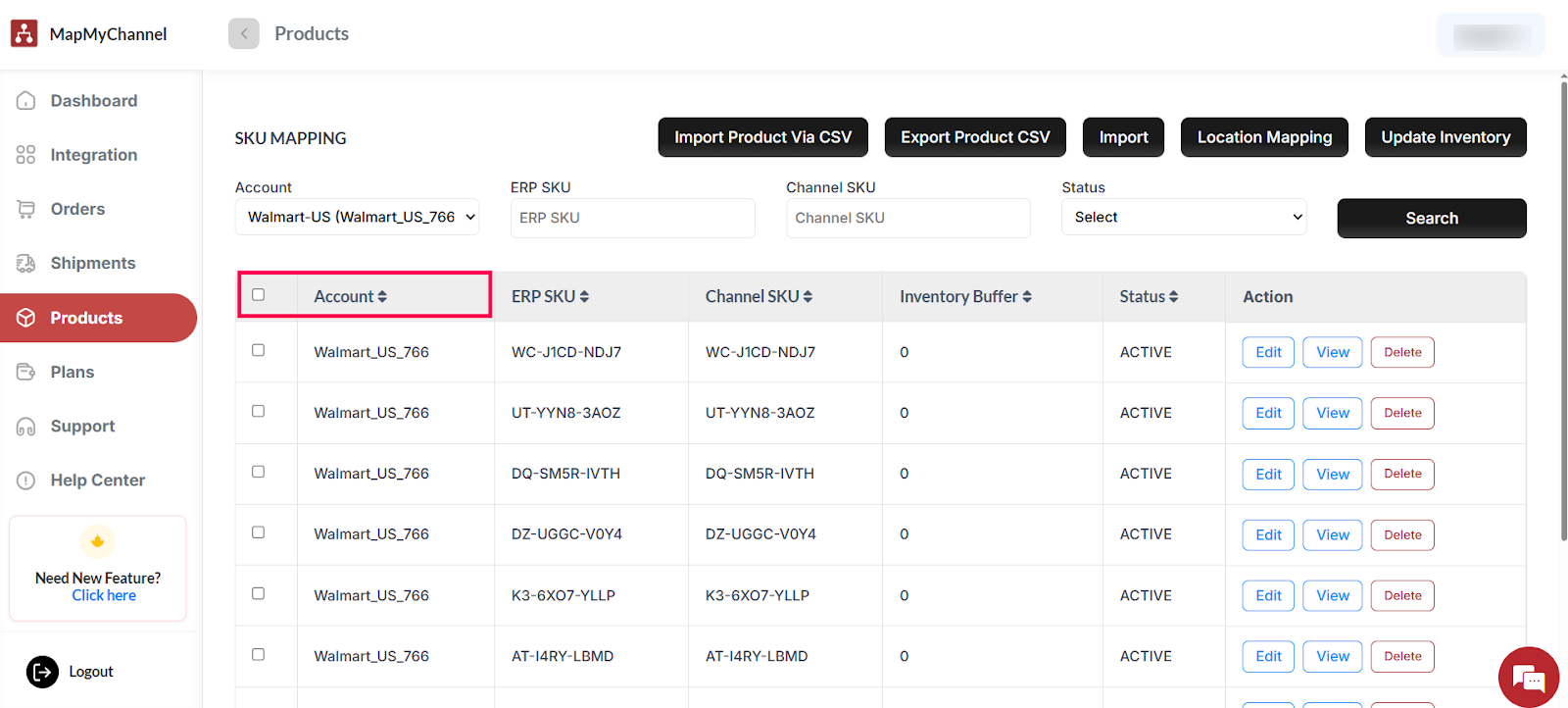
If the value is different in the data, then you can map your SKUs manually. Click on the “Edit” button in front of the product.

Now, enter the same SKU data manually and click on the “Save” button.
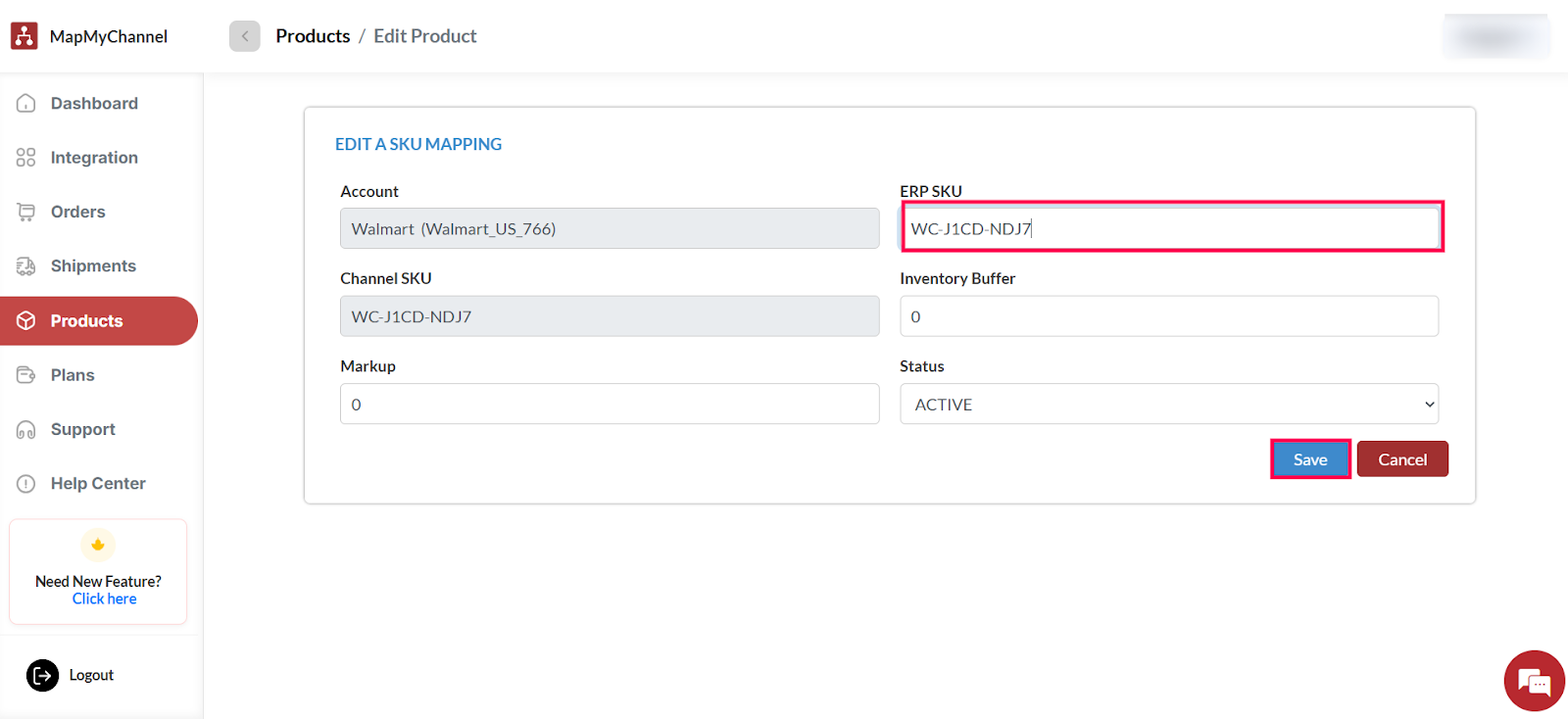
Repeat the process for all those products where the SKU is different. After this, you would have successfully mapped the SKUs between Walmart and Amazon MCF using MapMyChannel by WebBee.

With all the SKUs mapped perfectly, there is no obstruction to delivery and inventory management. MapMyChannel by WebBee will take care of seamless fulfillment, real-time stock updates, and automation of data synchronization for quick business response. Go ahead and map the SKUs for streamlined business processes and better business management. Contact Us to know more about Walmart Amazon integration platform.

.svg)